
Are you a teacher drowning under a mountain of student papers to grade? The scene is likely all too familiar: an upcoming weekend sacrificed on the altar of correction, shortened sleep, an ink-drained red pen, and the exhausting feeling of repeating the exact same margin annotations endlessly.
What if the solution to reclaiming your personal life came directly from Artificial Intelligence?
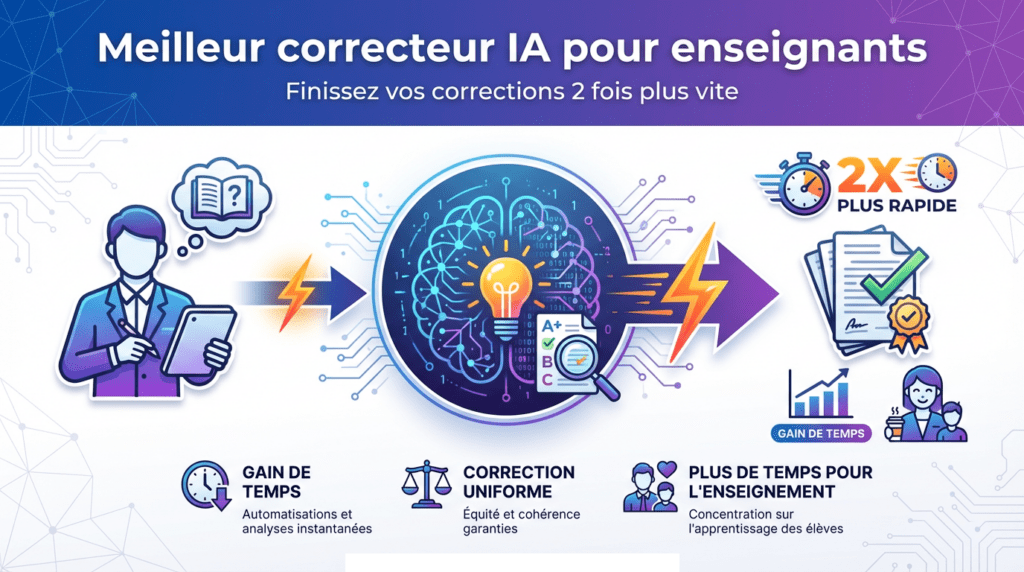
Today, a new generation of educational software can give you back up to 50% of your grading time. We are not talking about basic spell-checkers, but intelligent, rubric-driven AI assistants that understand context, evaluate argumentative structure, and help you provide rich, personalized feedback to your students.
In this comprehensive guide, we tested and benchmarked the five top platforms on the market. Our goal is to help you identify the best AI grading tools for teachers tailored specifically to your subject area, grade level, and budget. Ready to reclaim your evenings and weekends? Let us dive in.
Why AI Is a Game-Changer for Paper Correction
Before diving into our direct comparison, let us acknowledge reality: grading written work is one of the most time-consuming and repetitive responsibilities in education. AI is not meant to replace you—your pedagogical expertise, empathy, and human judgment remain completely irreplaceable. Instead, it serves as an extraordinarily powerful co-pilot.
The best AI grading tools for teachers go far beyond simple grammar and spell-checking. They can:
- Detect stylistic repetition and structural awkwardness in long-form essays.
- Suggest targeted reformulations to clarify student thesis statements and arguments.
- Evaluate logical flow, verifying whether essays include proper introductions, evidence-backed body paragraphs, and cohesive conclusions.
- Generate customizable, growth-oriented feedback highlighting student strengths and areas for improvement based on custom rubrics.
- Standardize grading consistency by applying objective rubric criteria across an entire class set without fatigue bias.
The time saved is far from anecdotal. It amounts to hours liberated every single week—time you can reinvest into preparing engaging lesson plans, conducting one-on-one student tutoring, or simply enjoying your personal life.
🛡️ Integrity & Verification: The Dual Purpose of AI Graders
Before you even begin evaluating an essay, there is another task that can prove equally exhausting: verifying student originality and checking for unauthorized AI-generated text. In modern classrooms, the line between authentic student drafting and uncredited ChatGPT or Gemini output can easily blur.
If you want to go beyond detection and proactively eliminate the root cause of this problem, the most effective long-term strategy is to redesign your assignments so that AI-generated responses are structurally useless. Our comprehensive guide on how to design AI-proof assessments walks you through 5 concrete, field-tested methods that complement the best AI grading tools for teachers perfectly — because catching AI-generated text after submission is always less efficient than designing tasks that make it irrelevant from the start.
The best AI grading tools for teachers do not stop at grammar, rhetoric, and rubric scoring—they must also safeguard academic integrity.
This is where specialized academic integrity suites like Quetext enter the teacher’s workflow.
Quetext is a combined plagiarism and AI content detection platform that evaluates student work in a single pass. When you upload a batch of student essays, it delivers a single, color-coded report highlighting exact text matches along with a probabilistic AI content percentage.
Using integrated integrity checks before or alongside rubric grading ensures that you only spend time delivering pedagogical feedback on authentic student effort.
Testing Methodology: How We Benchmarked the Best AI Grading Tools for Teachers
To establish an objective ranking of the best AI grading tools for teachers, we submitted a standardized set of sample student submissions (middle school narrative essays, high school persuasive research papers, and AP-level literary analyses) across a wide range of platforms.
Our evaluation criteria were strict:
- Correction Accuracy: Precision in detecting grammatical errors, syntax slips, and awkward phrasing.
- Pedagogical Quality: Relevance and depth of feedback suggestions (structure, evidence, argument clarity).
- Rubric Customization: Ability to import or build custom rubrics aligned to state or national standards.
- Usability & Workflow: Smoothness of LMS integration (Google Classroom, Canvas, Moodle), batch file handling, and interface clarity.
- Teacher-Centric Value: Fair pricing structures tailored to individual educators and school departments.
Here are our top 5 tested picks.
Top 5 Best AI Grading Tools for Teachers Tested & Reviewed
1. CoGrader: The Most Pedagogical & Rubric-Focused Solution
If you are looking for an AI assistant explicitly designed for teacher evaluation workflows, CoGrader stands as one of the best AI grading tools for teachers on the market today.
Why It Stands Out
- Rubric-First Architecture: CoGrader allows you to upload custom rubrics or generate state-aligned rubrics directly inside the platform. It scores student submissions criteria by criteria rather than giving arbitrary overall numbers.
- LMS Integration: It syncs directly with major Learning Management Systems like Google Classroom and Canvas, making it effortless to pull assignments and export feedback.
- Pedagogical Feedback Tone: The feedback generated points out specific strengths and actionable steps for growth, mirroring the tone of an encouraging human educator.
- Teacher Approval Gate: Every AI-generated mark and comment remains completely reviewable and editable before anything is sent to the student.
Ideal For
Middle school, high school, and university educators in English, history, and social sciences who want robust, rubric-aligned feedback without changing their established workflow.
2. Grammarly Premium: The Versatile Line-Editing Powerhouse
Grammarly remains a global leader in writing assistance. While it is a general writing co-pilot rather than a dedicated rubric grader, its robust contextual engine makes it one of the best AI grading tools for teachers focusing on line-by-line syntax, mechanics, and style polishing.
Why It Stands Out
- Exceptional Contextual Mechanics: It catches subtle grammatical issues, misplaced modifiers, and awkward phrasing that standard word processors miss.
- Tone and Clarity Adjustments: Grammarly evaluates text tone (e.g., formal, persuasive, academic) and suggests concise reformulations for wordy sentences.
- Ubiquitous Integration: Because it operates everywhere via a browser extension, you can use it directly inside Google Docs, Canvas speedgrader, or web-based email portals.
- Built-In Similarity Checker: Higher tiers include plagiarism checks against vast web databases.
Ideal For
Foreign language teachers, ESL educators, or teachers looking for an inline editing assistant that works inside their browser without requiring separate file uploads.
3. ProWritingAid: The Structural Analyst for Long-Form Papers
When grading long research papers, capstone projects, or senior essays, simple grammar checking is not enough. ProWritingAid functions like an automated developmental editor, making it a contender for the best AI grading tools for teachers managing extended written work.
Why It Stands Out
- 20+ Detailed Writing Reports: Generates diagnostic breakdowns covering sentence length variance, passive voice overreliance, transition word usage, and repetitive vocabulary.
- Pacing and Cohesion Tracking: Helps teachers quickly identify where student arguments lose structural momentum or lack logical transitions.
- Custom Style Guides: Allows teachers to set specific rule sets tailored to academic or creative writing assignments.
Ideal For
Advanced Placement (AP) high school teachers, college professors, and research mentors evaluating lengthy essays and formal papers.
4. Scribbr: The Academic Standards & Citation Specialist
Scribbr is built specifically around academic writing standards. Its AI proofreading engine is fine-tuned to recognize formal research conventions, making it an excellent specialized option for upper-level secondary and higher education.
Why It Stands Out
- Academic Register Focus: Instantly flags informal expressions, colloquialisms, and subjective language inappropriate for research papers.
- Citation Consistency: Helps verify that inline citations correspond correctly to reference page formatting (APA, MLA, Chicago).
- User-Friendly Interface: Clear, step-by-step UI that breaks down edits into manageable categories.
Ideal For
Teachers preparing students for college-level writing, International Baccalaureate (IB) Extended Essays, or undergraduate research assignments.
5. EssayGrader AI: The High-Volume Essay Batch Engine
Dedicated explicitly to extended writing, EssayGrader AI is engineered for teachers who face heavy batches of essays and need fast, rubric-aligned feedback generation.
Why It Stands Out
- Pre-Built & Custom Rubric Library: Features over 500 pre-built rubrics aligned to state standards, along with a custom rubric builder.
- Batch Uploading: Allows teachers to upload an entire class set of essays in one pass, generating individual feedback reports for review.
- Handwriting Recognition: Can parse and grade handwritten student papers submitted via photos or PDF scans.
- Editable Feedback: All AI-suggested marks are reviewable, editable, or removable before being exported to student gradebooks.
Ideal For
K-12 English Language Arts (ELA) teachers managing large student rosters who need to grade sets of 100+ essays efficiently.
Practical Buyer’s Guide: How to Choose the Best AI Grading Tool for You
Selecting the best AI grading tools for teachers depends on your specific teaching context. Ask yourself these four practical questions:
What subject and genre do you grade most often?
- Humanities & ELA: Opt for CoGrader or EssayGrader for comprehensive rubric-based feedback.
- STEM & Short Answers: Consider specialized tools like Gradescope or Formswrite that excel at math, code, or short-answer question sets.
- Languages: Grammarly provides unmatched real-time language editing.
Where does your grading physically take place?
- If you grade inside Google Docs, browser extensions like Grammarly or CoGrader offer the smoothest experience.
- If you use an LMS like Canvas, Moodle, or Google Classroom, look for tools with native LMS sync capabilities.
What is your budget constraint?
- Zero Budget: Start with free tiers offered by CoGrader or EssayGrader to test rubric scoring on sample papers.
- Individual Teacher Subscription: Dedicated plans between $9–$15/month pay for themselves rapidly in saved weekend hours.
3 Rules for Integrating AI Into Your Grading Routine
AI should serve as your assistant, never your replacement. Follow these three operational rules to maintain pedagogical quality and ethical standards:
1. Execute the Two-Pass Review
Use the AI grader for the first pass. It highlights mechanical errors, checks structural requirements against the rubric, and drafts preliminary notes. Your second pass evaluates creative depth, thesis originality, and emotional resonance.
2. Personalize AI Feedback
Never copy and paste raw AI comments without reviewing them. Edit suggestions to reflect your voice, incorporate references to classroom discussions, and add encouraging notes tailored to the student.
3. Maintain Transparency
Be open with your students. Explain that you use AI assistants to streamline routine feedback on mechanics and rubrics so that you can dedicate more time to reading their unique ideas. Modeling responsible AI use builds digital literacy and trust.
Frequently Asked Questions (FAQ)
Can AI grading tools completely replace human teacher grading?
No. AI grading platforms are designed to assist educators, not replace them. While AI excels at applying rubrics, catching grammatical errors, and flagging structural weaknesses, human judgment remains essential for evaluating nuanced reasoning, creativity, and personal student context. Always keep a human in the loop for final score approvals.
Is student data kept safe and private when using AI graders?
Reputable edtech platforms designed for school environments comply with data privacy standards like FERPA and GDPR. Look for tools that state explicitly that student submissions are encrypted in transit and are never used to train public AI models.
How do AI graders handle handwritten student papers?
Several modern AI grading platforms (such as EssayGrader, Marking.ai, and Gradescope) feature Optical Character Recognition (OCR) technology. Teachers can upload clear photos or PDF scans of handwritten essays, which the AI transcribes and grades against the assigned rubric.
Conclusion: Reclaim Your Time for What Truly Matters
Searching for the best AI grading tools for teachers is not about converting education into an automated assembly line. It is about the exact opposite: restoring your time and mental energy so you can focus on human connection.
By automating repetitive feedback on grammar, sentence structure, and basic rubric criteria, these tools return hours of free time to your week. You can reinvest that energy where it matters most: inspiring students, conducting dynamic lessons, and maintaining a healthy work-life balance.
Among the top solutions benchmarked, CoGrader stands out for its deep rubric scoring and LMS integration, Grammarly remains an unmatched inline proofreader, and EssayGrader offers tremendous efficiency for high-volume essay sets.
Select the tool that best fits your workflow, test it on your next batch of papers, and experience how AI assistance can transform your grading routine.
Have you tested any of these AI grading tools in your classroom? Share your experiences and feedback with fellow educators in the comments below!
Written by: Assaad Jmal – PhD, University Lecturer and Researcher

- Best AI Grading Tools for Teachers: Grade 2x Faster (Top 5 Tested) - 17 October 2026
- Which AI Is Best for Students in 2027? Our Comparison Across 6 Real-World Tasks (Summarizing, Coding, Essays, Math, Translation, Feedback) Saves You 10 Hours of Research - 10 October 2026
- How to Design AI-Proof Assessments: The Complete Guide with 5 Proven Methods for ChatGPT-Resistant Assignments - 2 October 2026